AI Avatars Are Taking Over Social Media — Here's How to Create Yours
The Rise of AI Avatars on Social Media
Scroll through Instagram Reels or TikTok right now, and something will jump out: the faces aren’t real.
AI-generated avatars are appearing in product ads, explainer videos, brand testimonials, and educational content across every major platform. And most viewers can’t tell the difference anymore.
In 2026, the category has exploded. Lip sync quality crossed the “good enough” threshold. Facial expressions look natural. Voice cloning sounds human. What was uncanny valley in 2024 is now indistinguishable from a real creator on a phone screen.
For brands and creators, this changes everything. You no longer need to hire talent, book a studio, or even turn on a camera. An AI avatar can be your consistent brand face — posting daily, in any language, in any outfit, without scheduling conflicts or day rates.
Here’s how to build one.
Why Brands Are Switching to AI Avatars
Before the how-to, let’s address the why. Three forces are driving adoption:
1. Cost
A single professional video shoot — talent, studio, lighting, editing — costs $2,000-$10,000. An AI avatar video? Under $5 in generation credits. Even if you generate 30 videos a month, you’re spending less than one traditional shoot.
2. Consistency
Real creators change haircuts, gain weight, tan differently, wear different makeup. AI avatars look exactly the same every time. For brands building recognition around a face, that consistency is gold.
3. Speed
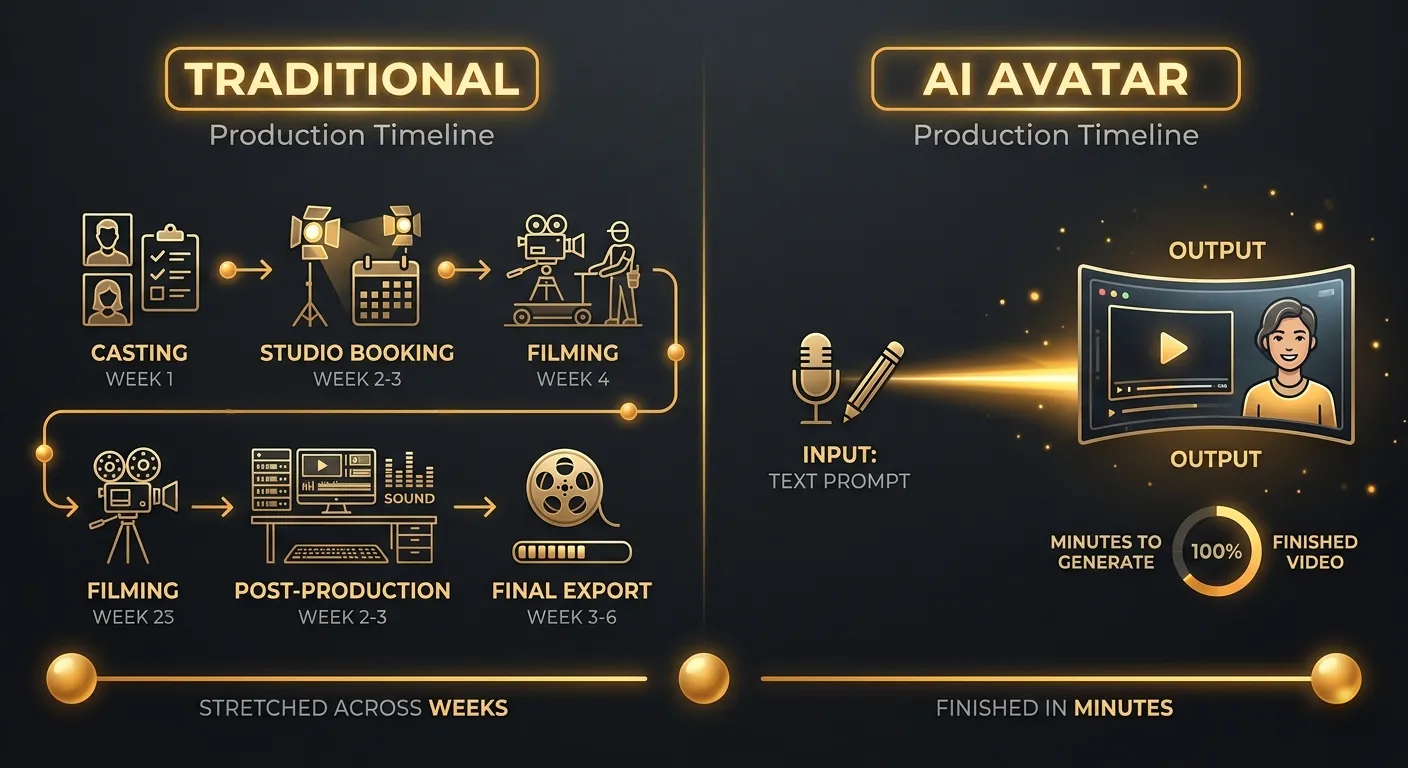
Traditional content pipeline: brief → casting → scheduling → shooting → editing → posting. Timeline: 2-6 weeks.
AI avatar pipeline: write prompt → generate → post. Timeline: 15 minutes.
The Two Types of AI Avatars in 2026
The market has split into two distinct approaches:
Type 1: Training-Based Avatars
You upload a photo or video of a real person (often yourself), and the AI trains a model on that face. Every future generation preserves that exact identity.
Tools: HeyGen, Synthesia, D-ID Pros: Photorealistic, based on a real person Cons: Requires uploading your face, can be deepfaked, identity locked to one person
Type 2: AI-Native Characters
You describe a character from scratch — age, ethnicity, style, personality — and the AI creates a unique person who never existed. You then generate identity sheets to lock in their appearance across every future generation.
Tools: MeetNour Casting Room, Midjourney (manual), Leonardo (limited) Pros: Full creative control, no real person needed, unlimited characters, no deepfake risk Cons: Requires a good AI model for consistency
The shift in 2026: Type 2 is winning. Brands increasingly prefer AI-native characters because there’s no legal risk of deepfaking a real person, no talent contracts to manage, and full ownership of the character IP.
How to Create an AI Avatar (Step by Step)
Here’s the practical workflow using MeetNour’s Casting Room, which is purpose-built for this:
Step 1: Define Your Character
Start with who this avatar represents. Think of them like a real brand spokesperson:
- Age range: 20s, 30s, 40s?
- Look: Professional, casual, creative, athletic?
- Style: Formal wear, streetwear, activewear, business casual?
- Personality: Warm and approachable? Authoritative expert? Energetic influencer?
You don’t need to get this perfect — you can refine later. But having a clear brief makes the AI output dramatically better.
Step 2: Generate a Hero Portrait
In MeetNour, you have two paths:
Path A — Upload a photo. If you want the avatar based on an existing face (yours, a team member’s, a stock photo you’ve licensed), upload it. The AI will extract the facial features and build all future generations from that reference.
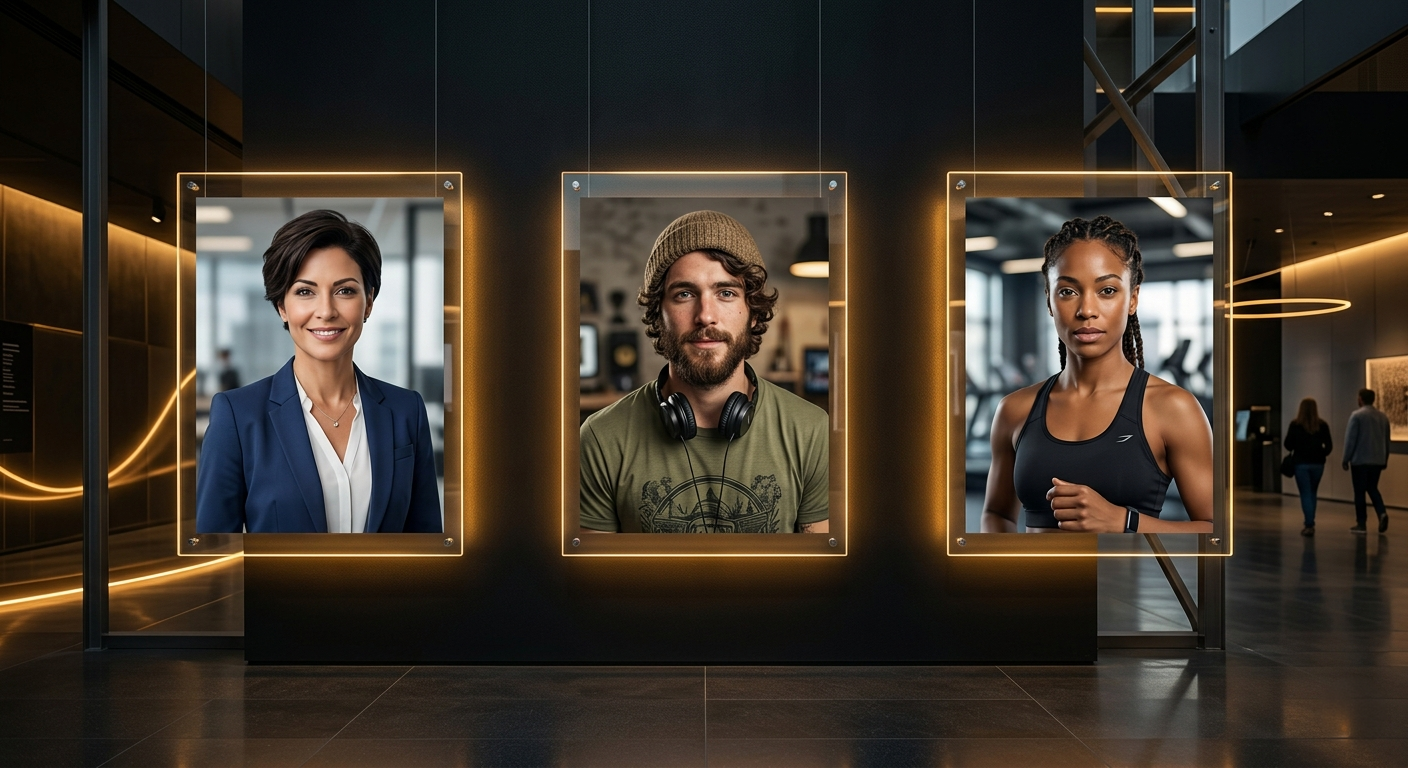
Path B — Describe from scratch. Write a natural description: “A 28-year-old woman with warm brown skin, short curly hair, confident smile, wearing a navy blazer over a white t-shirt.” The AI generates a hero portrait you can approve or regenerate.
The hero portrait becomes the anchor for every future image and video of this character.
Step 3: Build Identity Sheets
This is the step most people skip — and it’s the reason their AI characters look different every time.
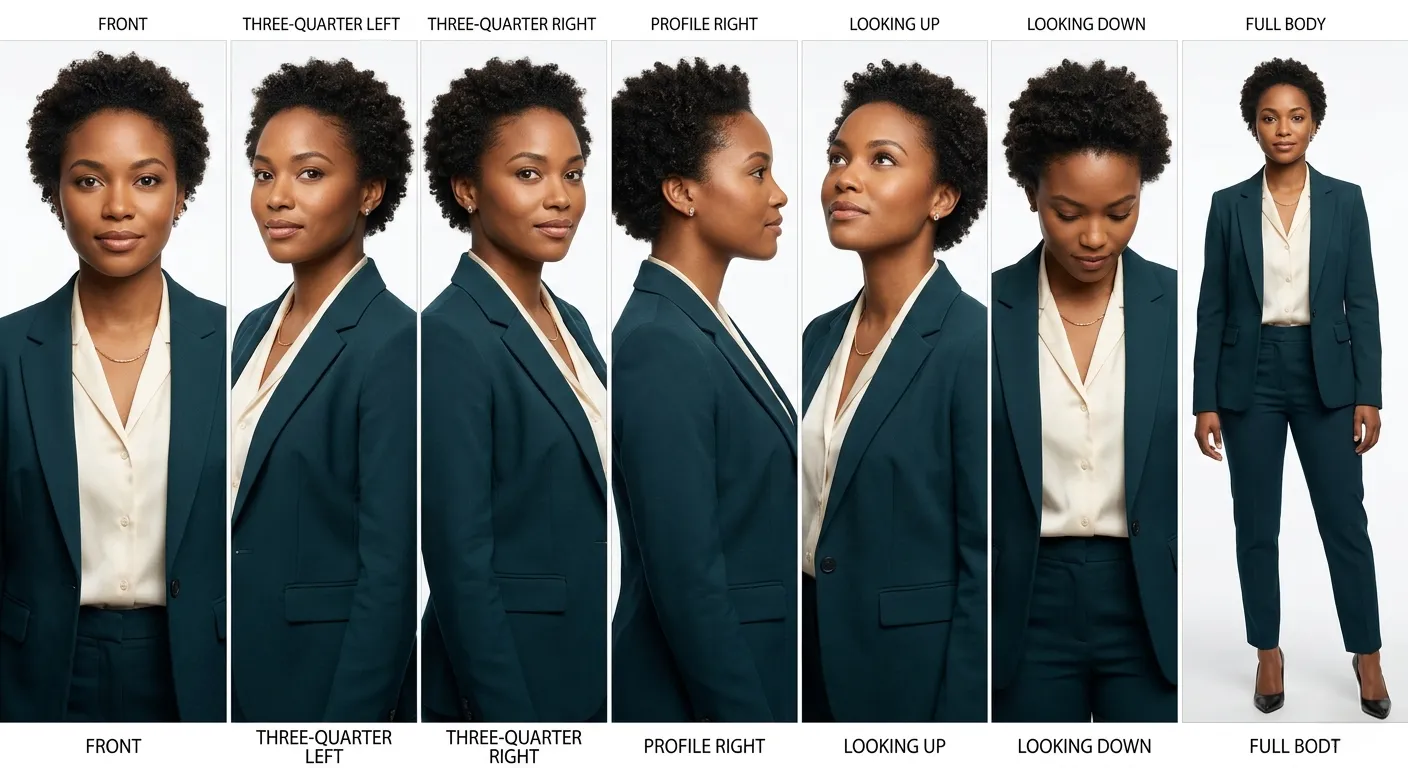
An identity sheet is a 7-panel reference showing your avatar from multiple angles: front, three-quarter left, three-quarter right, profile, looking up, looking down, and a full-body shot. All generated from the same hero portrait.
MeetNour’s Casting Room generates these automatically. They serve as reference inputs for every future generation, ensuring the AI “remembers” exactly what your character looks like.
Step 4: Create a DNA Profile
Beyond visuals, your avatar needs structured metadata — what MeetNour calls a DNA profile:
- Physical traits (height, build, skin tone, hair color, eye color)
- Default wardrobe
- Personality keywords
- Voice description (for video/audio generation)
- Brand association
This metadata is injected into every prompt automatically. When you type “[avatar name] presenting a product in a modern office,” the AI already knows exactly what they look like and what they’re wearing.
Step 5: Generate Content
With the hero portrait, identity sheets, and DNA profile locked in, you can now generate:
- Product ad images — your avatar holding or presenting your product
- Social media posts — different outfits, different scenes, same face
- Video content — talking head videos, product demos, testimonials
- Ad variations — same avatar, different backgrounds, different hooks
The avatar stays consistent across all of these because the identity references travel with every prompt.
Step 6: Change Wardrobe (Not Identity)
Need your avatar in a summer outfit? Winter jacket? Formal event? Use a wardrobe change — it updates the clothing and setting while preserving the face, body type, and personality.
This is different from generating a new character. The face stays locked. Only the outfit changes.
Real Use Cases: Who’s Using AI Avatars?
E-Commerce Brands
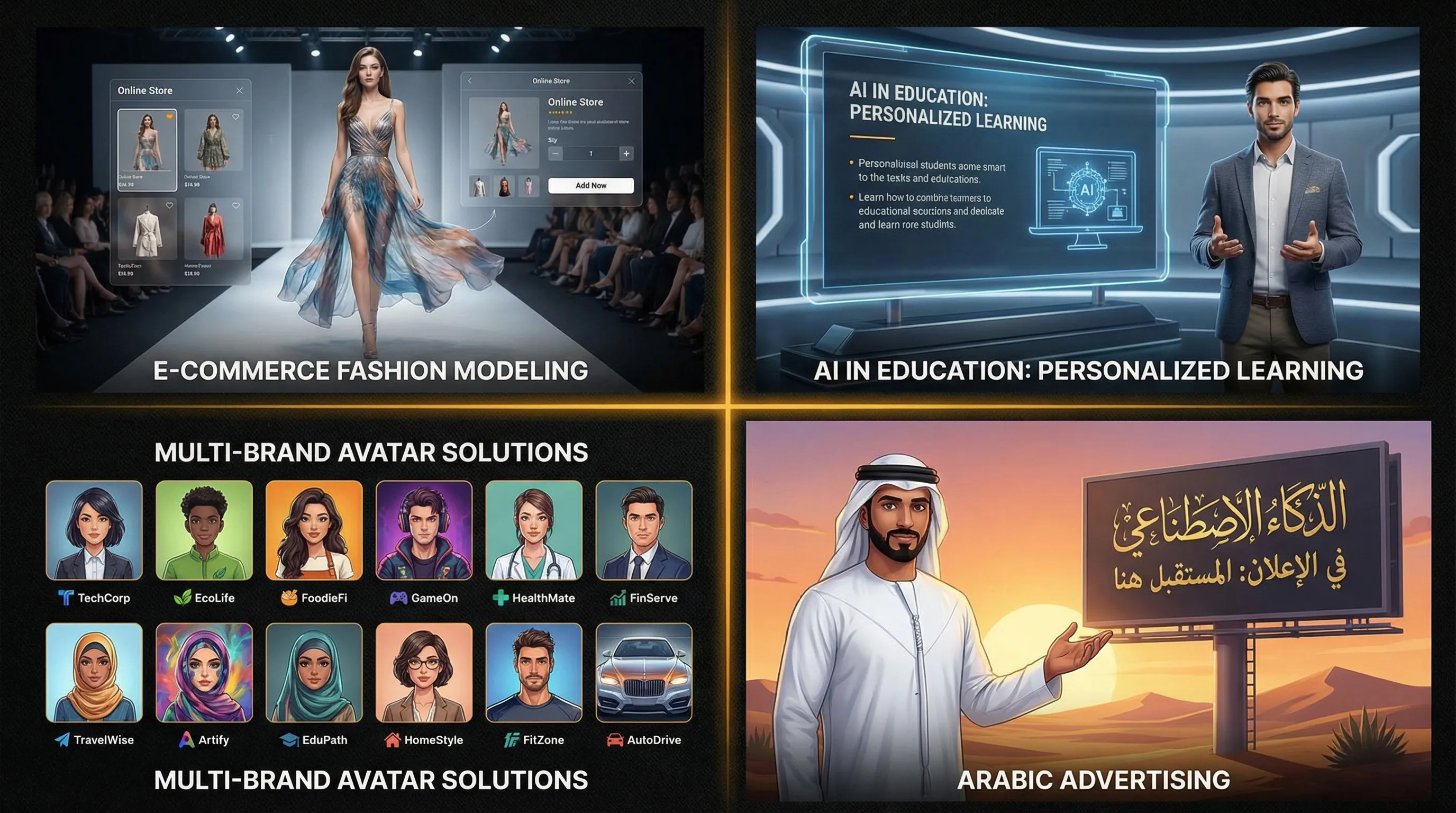
AI avatars model clothing, accessories, and lifestyle products. One avatar can “wear” an entire catalog in a single afternoon — no fitting rooms, no photographer, no model fees.
Course Creators & Coaches
Educational content with a consistent AI presenter. Record the script, generate the avatar video, add captions. Publish daily without ever turning on a camera.
Social Media Agencies
Managing 10+ client accounts? Create a unique avatar for each brand. Each one posts consistently, on-brand, without scheduling real talent.
Arabic & GCC Brands
AI avatars solve a specific cultural challenge: brands that want a human face but face restrictions on using real people in advertising. An AI character has no privacy concerns and can be designed to match any cultural context.
The Trust Question: Will Audiences Accept AI Faces?
This is the elephant in the room. Buffer’s 2026 study found that 52% of consumers reduce engagement when they suspect content is AI-generated.
But here’s the nuance: that stat applies to AI content pretending to be real. Brands that disclose their use of AI avatars — either explicitly or through obviously stylized characters — see no engagement penalty. Some see higher engagement because the novelty draws attention.
The playbook: don’t hide it. Lean into it. Your AI avatar is a character, not a deepfake. Treat them like a mascot with a face.
How MeetNour’s Casting Room Is Different
Most AI avatar tools focus on one thing: generating a video of a talking head. That’s useful, but limited.
MeetNour’s Casting Room is a full character creation system:
- Two creation paths — upload a photo or describe from scratch
- Identity sheets — 7-panel reference generation for consistency
- DNA profiles — structured metadata that travels with every prompt
- Wardrobe changes — swap outfits without losing identity
- Cross-module usage — use your avatar in AI Studio (images/video), Director Mode (scripted ad projects), and Design Studio (social media graphics)
- Favorites system — pin your go-to avatars for quick access across the platform
- Community gallery — share avatars publicly and discover characters created by other users
You’re not just generating a face. You’re building a reusable digital asset that works across your entire content pipeline.
Frequently Asked Questions
Can I use AI avatars commercially?
Yes. AI-generated characters you create are yours to use in ads, social media, websites, and marketing materials. Since they’re not based on a real person (Path B), there are no likeness rights or model release issues.
How do I keep my avatar consistent across posts?
Use identity sheets. A 7-panel reference sheet gives the AI model enough visual context to reproduce the same face reliably. Without it, you’ll get a different-looking person every time.
Do AI avatars work for video or just images?
Both. Modern video models like Kling 3.0 and Seedance 2.0 can generate video of AI characters with accurate lip sync, facial expressions, and body movement. The identity sheet serves as the reference input.
Will social media platforms flag AI avatar content?
Meta and TikTok require AI-generated content to be labeled. This is handled through platform-specific disclosure settings when posting. It doesn’t affect reach — unlabeled AI content is what gets penalized.
How much does it cost to create an AI avatar?
On MeetNour, generating a hero portrait costs a few credits. Identity sheets and DNA profiles are generated in the same flow. After that, every image or video you generate with that avatar uses standard generation credits — no extra avatar fee.
Start Building Your AI Cast
The shift is happening whether you join it or not. AI avatars are already on your followers’ feeds — from competitors, from influencers, from brands with a fraction of your budget.
The question isn’t whether to use AI avatars. It’s whether you build yours now or spend the next six months watching others do it first.

Create professional content
in minutes, not days.
One platform for AI images, videos, voiceovers, music, captions, and social planning. 7 providers. 64 models. Zero complexity.