All-in-One AI Content Tool vs. 5 Separate Apps: The Real Cost
The 5-Tab Problem
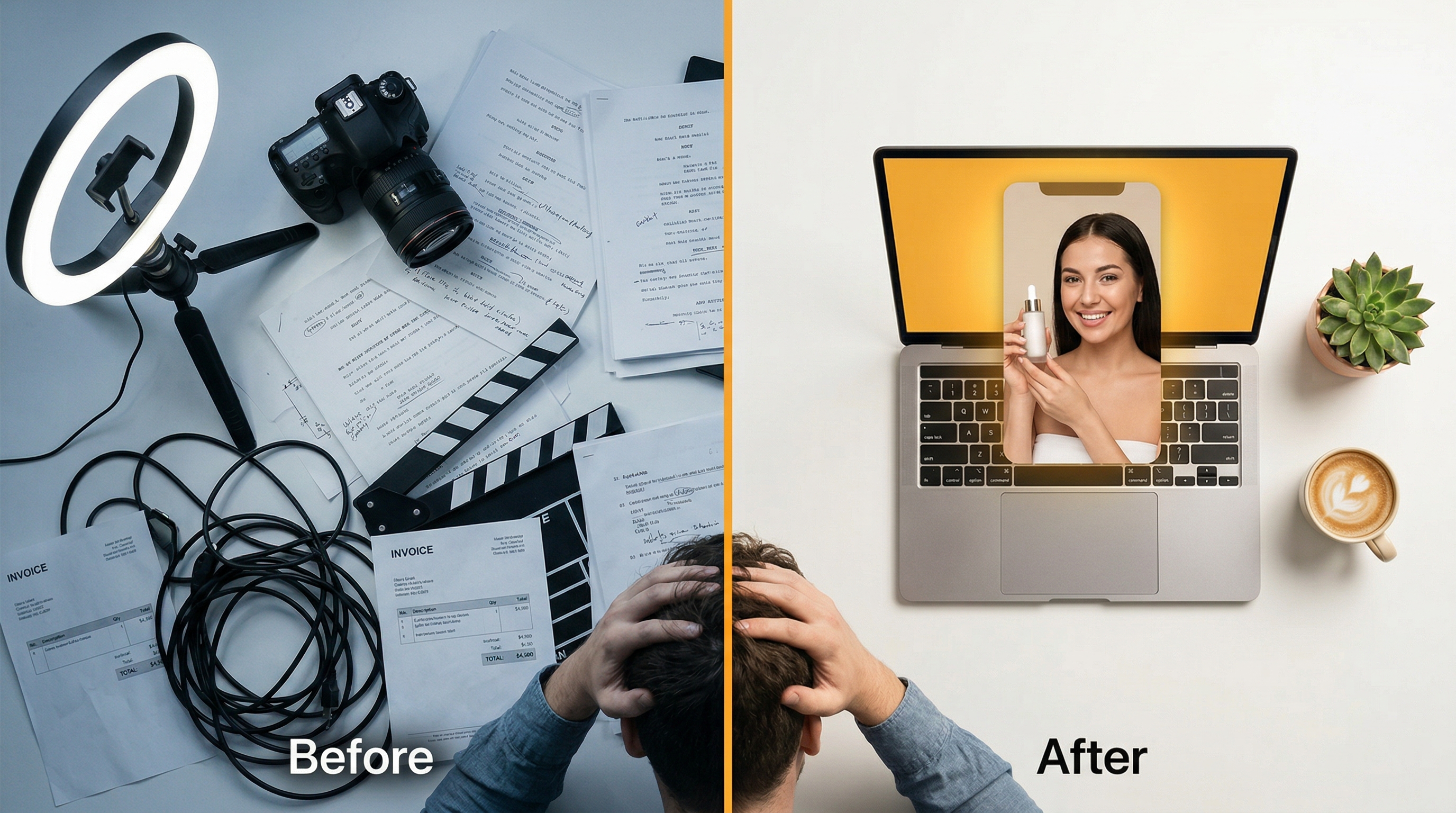
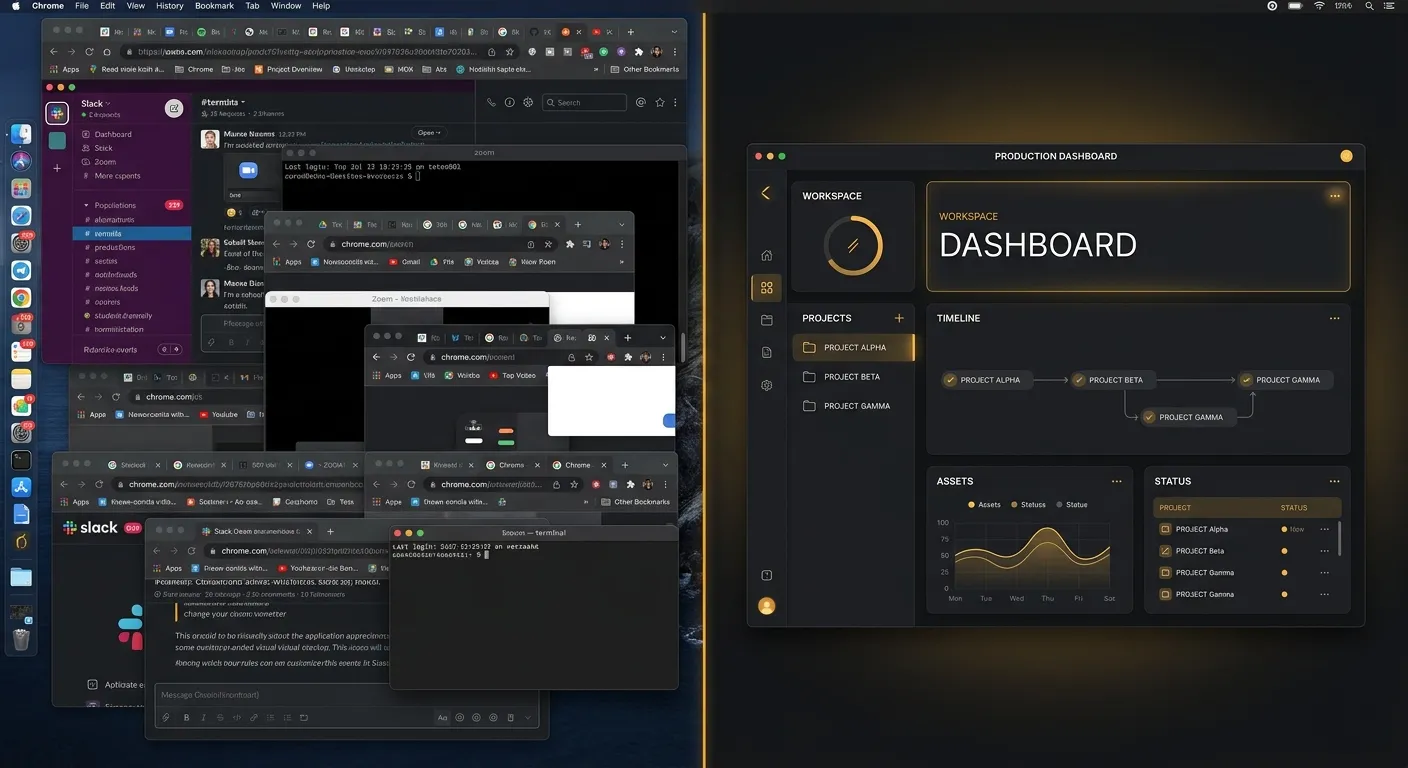
Open your browser right now. Count the tabs.
If you’re a social media manager or content creator in 2026, odds are you’ve got some combination of these open: Canva for design, CapCut for video editing, Midjourney or DALL-E for image generation, ElevenLabs for voiceovers, and Later or Buffer for scheduling.
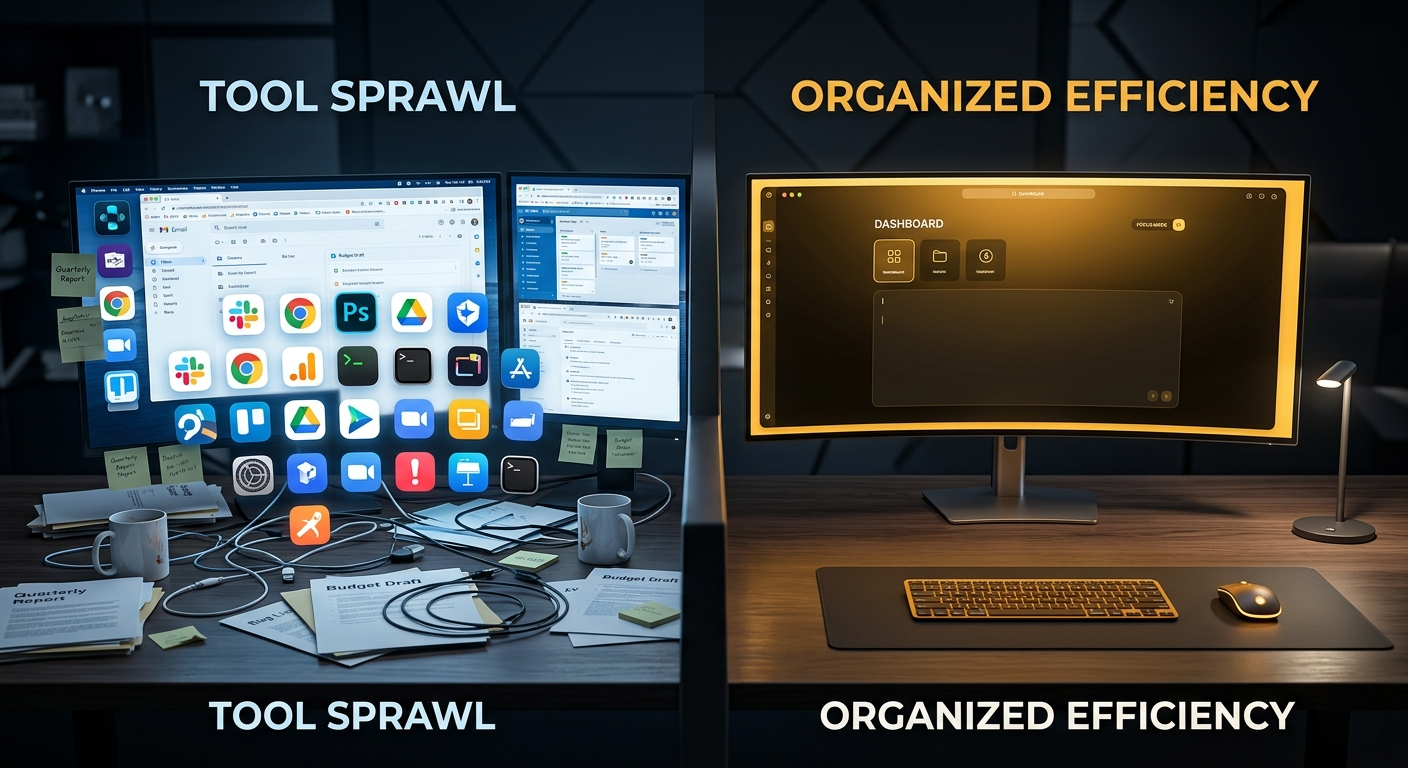
Five tools. Five subscriptions. Five logins. Five learning curves. Five billing cycles. Five support tickets when something breaks.
This is what the industry calls tool sprawl — and in 2026, it’s costing creators and businesses far more than they realize.
Let’s do the math.
The Real Cost of Running Separate Tools
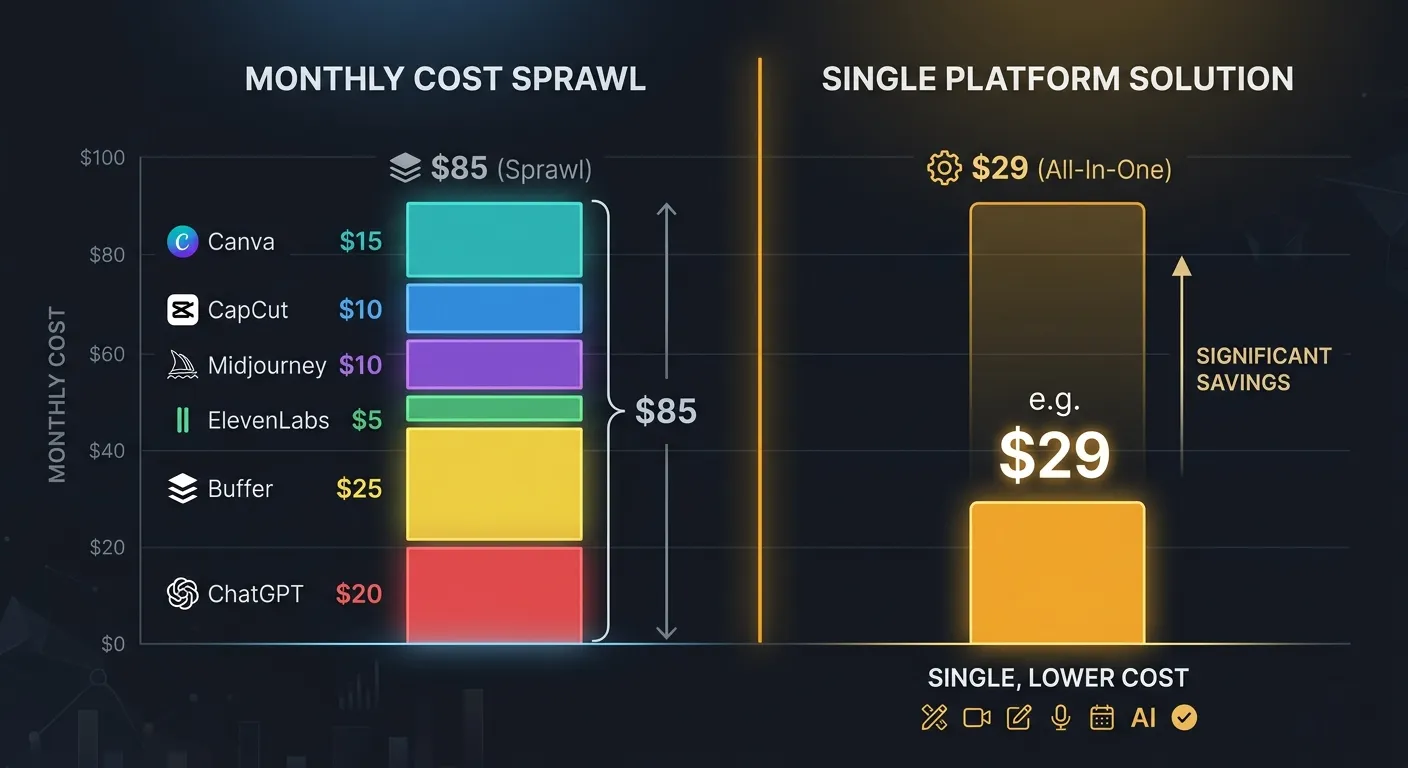
Here’s what a typical content creator’s tool stack looks like in April 2026:
| Tool | What It Does | Monthly Cost |
|---|---|---|
| Canva Pro | Design, templates, brand kit | $15/mo |
| CapCut Pro | Video editing, auto captions | $10/mo |
| Midjourney | AI image generation | $10/mo (Basic) |
| ElevenLabs | AI voiceovers | $5/mo (Starter) |
| Later / Buffer | Social scheduling + analytics | $25/mo |
| ChatGPT Plus | Caption writing, brainstorming | $20/mo |
Total: $85/month — $1,020/year.
And that’s the conservative stack. Many teams also pay for:
- A second AI image generator (Leonardo, Ideogram) — +$10-25/mo
- A video generation tool (Runway, Pika) — +$12-30/mo
- Stock footage/music (Envato, Artlist) — +$15-30/mo
- An AI avatar tool (HeyGen, Synthesia) — +$24-60/mo
Power users easily hit $150-200/month — over $2,000/year — spread across 7-10 different platforms.
But Cost Isn’t Even the Biggest Problem
Money aside, the real damage from tool sprawl is workflow friction. Every tool switch is a context switch. Every context switch costs you time and creative momentum.
Here’s what a typical “create one Instagram post” workflow looks like with separate tools:
- ChatGPT — Write the caption and hashtags (copy to clipboard)
- Midjourney — Generate the image (download to desktop)
- Canva — Upload image, add text overlay, resize for Stories (export)
- Later — Upload the final graphic, paste the caption, schedule
Four tools, four exports, three copy-pastes, two uploads. For one post.
Multiply that by 20-30 posts per month, across 3-4 platforms. You’re spending more time moving files between tools than actually creating content.
The Hidden Costs of Context Switching
Research from the American Psychological Association shows that switching between tasks — even digital ones — costs 15-25 minutes of refocus time per switch. If you’re switching between 5 tools to create a single piece of content, you’re losing over an hour to friction alone.
That’s time you could spend on strategy, client work, or just… not burning out.
What “All-in-One” Actually Means in 2026
Let’s be clear: “all-in-one” doesn’t mean “one tool that does everything poorly.” That was the criticism of early platforms that tried to bundle everything and delivered mediocre results across the board.
In 2026, all-in-one means: best-in-class AI models from multiple providers, accessible through a single interface, with a unified workflow that eliminates the export-upload-copy-paste cycle.
The key difference: instead of building one proprietary model that’s average at everything, modern all-in-one platforms integrate the actual best models from specialized providers. You get Veo for cinematic video, Kling for talking heads, FLUX for images, Deepgram for transcription — all from one prompt bar.
This is the multi-provider approach. And it’s why all-in-one platforms in 2026 aren’t just “good enough” — they’re genuinely better than juggling individual tools.
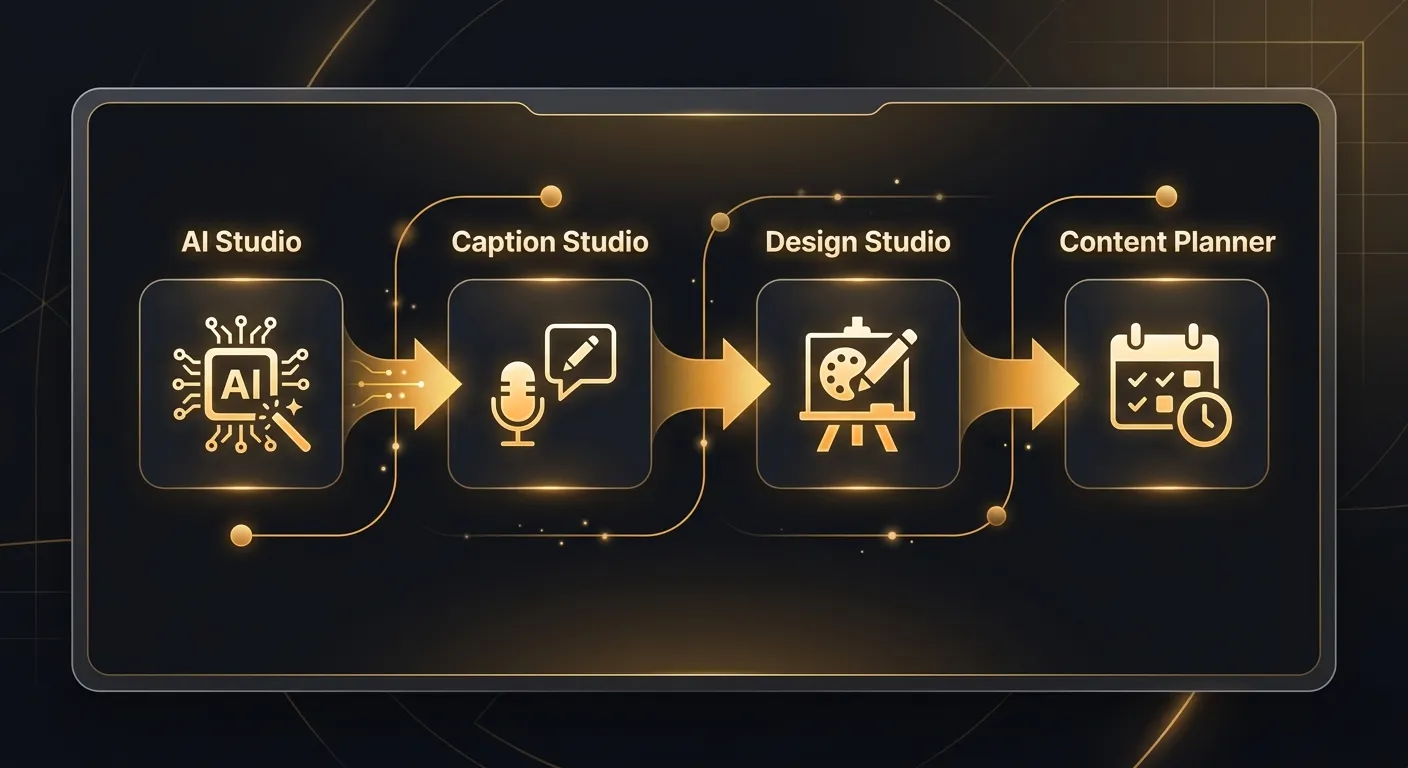
The All-in-One Workflow: Same Post, Zero Friction
Here’s what that same Instagram post looks like on an all-in-one platform:
- AI Studio — Generate the image (stays in your library)
- Design Studio — Add text and stickers directly on the image (no export needed)
- Content Planner — Drag the image to your grid, AI writes the caption, schedule it
Three steps, zero exports, zero uploads, zero copy-pasting. The image flows through the pipeline without ever leaving the platform.
For video content, it’s even more dramatic:
- AI Studio — Generate the video
- Caption Studio — Auto-transcribe and add animated captions
- Design Studio — Add a branded thumbnail
- Content Planner — Schedule across Instagram, TikTok, LinkedIn, and Facebook
One continuous workflow. One set of brand settings that auto-applies to every generation. One credit balance instead of five subscriptions.
Feature-by-Feature: Separate Tools vs. All-in-One
| Capability | Separate Tools | All-in-One (MeetNour) |
|---|---|---|
| AI image generation | Midjourney ($10-30/mo) | 14+ image models (FLUX.2, Nano Banana, GPT Image, Seedream) |
| AI video generation | Runway ($12-30/mo) | 20+ video models (Veo, Kling, Seedance, WAN, Hailuo, LTX) |
| AI voiceovers | ElevenLabs ($5-22/mo) | 9 voice models built in |
| AI music | Suno ($10-30/mo) | 6 music models (MiniMax, ACE-Step, MusicGen) |
| Auto captions | CapCut ($10/mo) | Deepgram Nova-3 with 14 animations, Arabic RTL support |
| Graphic design | Canva ($15/mo) | Full canvas editor, 3,120 stickers, 127 backgrounds, templates |
| Social scheduling | Later ($25/mo) | Calendar + grid + board views, direct publishing to 6 platforms |
| Caption/hashtag writing | ChatGPT ($20/mo) | AI copy generation built into Content Planner |
| AI avatars | HeyGen ($24-60/mo) | Casting Room with identity sheets and DNA profiles |
| Brand consistency | Manual (across each tool) | One brand profile, auto-applied everywhere |
| Total monthly cost | $85-200+/mo | One subscription |
When Separate Tools Still Make Sense
Let’s be honest: an all-in-one platform isn’t the right choice for everyone. Here’s when staying with separate tools is the better call:
You Only Need One Capability
If you exclusively edit videos and nothing else — no image generation, no design, no scheduling — then a dedicated video editor like Premiere Pro or DaVinci Resolve will always be deeper than any bundled tool.
You’re Locked Into an Enterprise Workflow
Large agencies with 50+ team members often have tool-specific workflows baked into their processes, with dedicated specialists for each tool. Ripping that out for an all-in-one switch isn’t worth the disruption.
You Need Offline/Local Processing
If your workflow requires offline editing (no internet) or local GPU processing, desktop-native tools like DaVinci Resolve, Photoshop, or Final Cut Pro are irreplaceable.
You’re a Single-Platform Creator
If you only post on YouTube and your entire workflow is: shoot → edit in Premiere → upload, adding an all-in-one AI platform doesn’t solve a problem you have.
When All-in-One Wins (Decisively)
You Post Across Multiple Platforms
The moment you’re creating for Instagram + TikTok + LinkedIn + Facebook, the scheduling and format-adaptation features of an all-in-one platform save hours per week.
You’re a Small Team (1-5 People)
Small teams can’t afford a specialist for each tool. One person who can generate, edit, caption, design, and schedule from a single interface is 5x more productive than one person juggling 5 apps.
You Want AI-Generated Content (Not Just Editing)
If your workflow starts with generating content from AI — not editing existing footage — then a platform with 64 AI model variants across image, video, voice, and music is categorically more powerful than a single-model tool.
You Need Brand Consistency
When your brand colors, voice, logo, and reference images auto-apply to every generation, you stop wasting time manually enforcing brand guidelines across five different tools.
You’re Budget-Conscious
Simple math: one subscription vs. five. If you’re paying for Canva + CapCut + Midjourney + ElevenLabs + Later, switching to an all-in-one platform cuts your tool spend by 40-70%.
The Consolidation Wave Is Here
This isn’t just a MeetNour argument — it’s an industry trend. 2026 is the year of AI tool consolidation:
- Canva added AI image generation, video editing, and scheduling — acknowledging that users want fewer tools
- Adobe bundled Firefly AI across Photoshop, Premiere, and Express for the same reason
- CapCut expanded from video editing into design and social scheduling
The market is telling you: the future is fewer tools, not more. The question is whether you consolidate into an editing-first platform that bolted on AI (Canva, Adobe), or an AI-first platform that was built around generation from day one.
How MeetNour Approaches All-in-One
MeetNour was designed as a unified content platform from the start — not an image generator that added features later. Here’s what that means in practice:
8 modules, one platform:
- Brand Settings — your brand identity, applied everywhere automatically
- Casting Room — create AI avatars with consistent identity sheets
- AI Studio — 30+ AI models across image, video, voice, and music
- Director Mode — scripted AI video projects with your cast of avatars
- Caption Studio — auto-transcription with 14 animation styles
- Design Studio — full canvas editor for social graphics
- Content Planner — calendar, grid, and board views with direct publishing
- “Let Nour Decide” — AI model routing that picks the best model for your prompt
One data layer: Your generated images, videos, audio, and designs all live in one library. Drag an AI Studio output into Design Studio, add it to your Content Planner grid, caption it in Caption Studio — no downloads, no uploads, no file management.
One brand context: Set your brand colors, voice, and assets once. Every AI generation across every module automatically incorporates your brand profile. No more manually setting brand colors in five different tools.
One credit system: Instead of managing five separate billing cycles, you have one credit balance that works across all AI features — image, video, voice, music, captions, and AI copy.
Frequently Asked Questions
Is an all-in-one tool as good as specialized tools?
In 2026, yes — for AI-generated content workflows. Platforms like MeetNour integrate the same underlying AI models (Veo, Kling, FLUX, Deepgram) that power the specialized tools. You’re getting the same model quality through a better workflow.
What if I only need image generation right now?
Start with what you need. If you grow into video, captions, or scheduling later, everything’s already there. You don’t pay for modules you don’t use — credits only get spent when you generate.
Can I migrate my existing content from other tools?
Yes. Upload your existing images, videos, and brand assets to your MeetNour library. Designs, brand kits, and scheduled posts can be recreated in the platform. Your content follows you.
What about team collaboration?
MeetNour supports team members with roles and permissions. Everyone works from the same brand profile, same library, same content calendar — no more “which version is the latest?” across five different tools.
What happens if one AI model goes down?
That’s the advantage of the multi-provider approach. When OpenAI shut down Sora in March 2026, single-tool users lost their entire video workflow. MeetNour users switched to Veo, Kling, or Seedance with one click. No migration, no new account, no learning curve.
The Bottom Line
Tool sprawl costs you $1,000-2,000/year in subscriptions, hours per week in workflow friction, and creative momentum every time you switch tabs.
An all-in-one AI content platform doesn’t just save money — it changes how fast you can go from idea to published post. One interface, one library, one brand profile, one schedule.
The creators who consolidate first will out-produce the ones still juggling five apps. That’s not an opinion — it’s arithmetic.
Try MeetNour free — all 8 modules, 50 daily credits, no card required →

Create professional content
in minutes, not days.
One platform for AI images, videos, voiceovers, music, captions, and social planning. 30+ AI models. Zero complexity.